
BandLab – Music Making Studio
BandLab TechnologiesMusic & Audio
4.455.77K Reviews
- Version
- 11.36.1
- Installs
- 100.00M
- Age Rating
- Teen
Screenshots
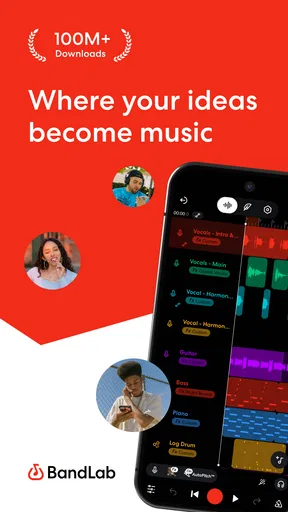
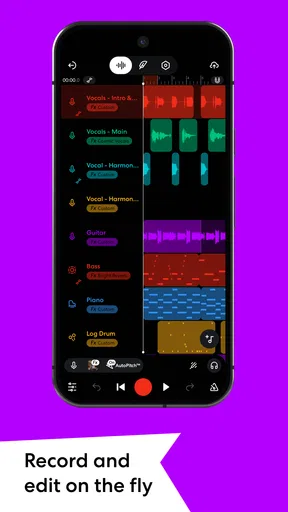
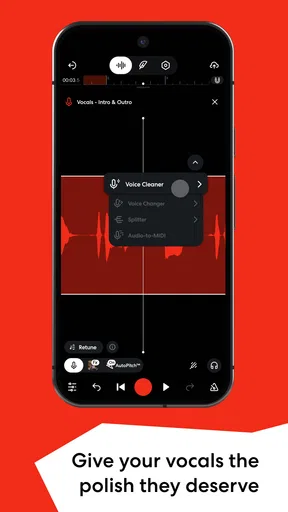
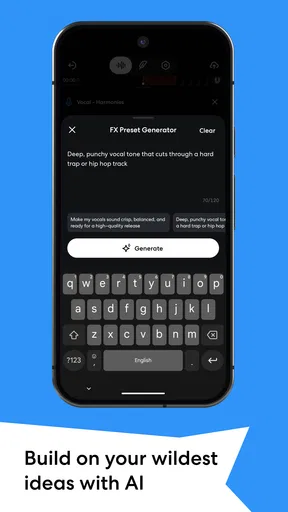
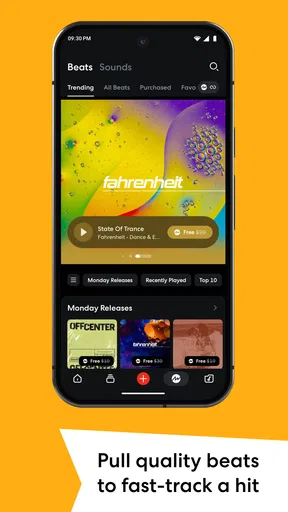
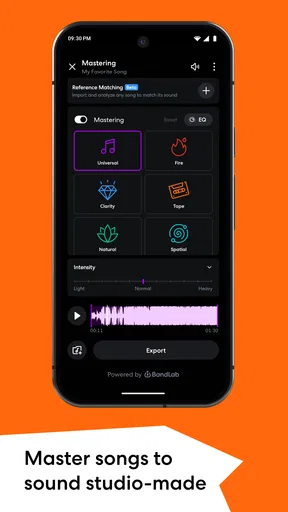
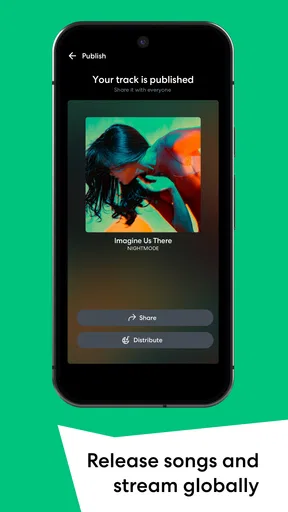
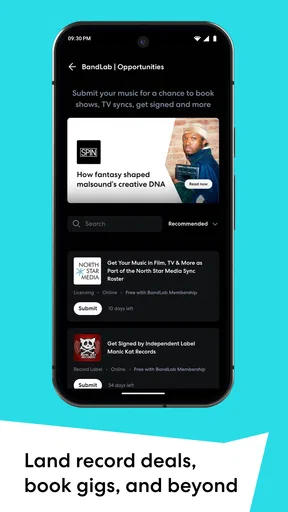
Our Review of BandLab – Music Making Studio
 Analysis by Appyee
Have you ever found yourself humming a tune and wishing you could turn it into a full-fledged track? Well, let me introduce you to BandLab – Music Making Studio, an app that’s like having a recording studio in your pocket. I've been playing around with it, and let me tell you, it's a game-changer for music lovers and creators alike.
The first-week appeal
BandLab is easy to approach when an idea arrives before you have instruments or recording gear nearby. I’d use it for a rough vocal, a rhythm sketch, or a quick arrangement rather than waiting until I can sit at a computer. It is a free music-making app from BandLab Technologies, and its broad reach—over 100 million installs—makes sense: the central attraction is having a place to start creating without first buying a desktop setup.
The first few sessions are most rewarding when I keep the goal small. A hummed melody can become a guide vocal, and a simple beat can give it enough shape to judge whether the idea is worth developing. I wouldn’t expect a phone to replace a quiet room and dedicated recording equipment, but the low-friction start is useful. For a beginner, that difference matters: opening a project and trying an idea can feel easier than learning a complex desktop workstation before making anything.
Getting Started
First things first, downloading BandLab – Music Making Studio is a breeze. It's available on both Android and iOS, and the best part? It won’t cost you a dime. Once installed, you’re greeted with a clean and intuitive interface that even a newbie can navigate without breaking a sweat. It’s like the app is saying, “Hey, let’s make some music!”
Building a useful habit
The more lasting question is whether an app like this earns space on your phone after the initial excitement. For me, the answer depends on treating it as a musical notebook, not a promise to finish a polished song every time I open it. A short session can capture a chorus idea or test whether a bass part supports a vocal. Returning to those sketches later is more valuable than endlessly starting new projects and leaving them unfinished.
A realistic everyday use is catching a tune on the way home, then adding a rough vocal and a beat when you have a few quiet minutes. I’d make a note of what the sketch still needs—perhaps a clearer melody or a less crowded rhythm—before closing it. That small habit makes the next session purposeful. It also helps prevent the common mobile-creation trap of collecting half-formed loops without deciding which ones deserve more work.
Features That Rock
So, what makes this app stand out in a sea of music-making tools? Well, for starters, the mix editor is a powerhouse. You can layer up to 12 tracks! Imagine the possibilities with that. Whether you’re into rock, pop, or electronic music, there’s something here for everyone. It’s like having your own band in your pocket.
That track-based approach is practical for learning arrangement. I’d begin with the part that carries the idea, such as a vocal or a repeating instrument, and add only the layers that make it clearer. The useful test is muting each track in turn: if removing one changes nothing, it may not be earning its place. This is a simple way to keep a phone mix from becoming cluttered, especially when it is tempting to add another sound just because it is available.
But wait, there’s more! The virtual instruments are pretty slick too. You can play around with guitars, bass, and even some funky synths. And the best part? You don’t need to know how to play these instruments in real life. The app guides you, making it accessible for everyone.
For someone who already plays an instrument, these sounds can serve as placeholders while arranging, rather than as a final substitute for a carefully recorded performance. For a newcomer, they lower the barrier to trying out a musical part without needing to own a guitar or keyboard. I’d use them to compare possibilities—say, whether a bass line should move with the chords or hold a steadier pattern—then keep the version that supports the song instead of decorating it.
Where it fits among music apps
BandLab sits between a simple voice recorder and a traditional desktop digital audio workstation. A recorder is quicker when all you need is to preserve a melody, but it won’t give the same room to build an arrangement from separate parts. A desktop workstation is a better fit when you need detailed control, a larger production setup, or a familiar studio workflow. BandLab’s appeal is the middle ground: it gives you a way to sketch and combine musical ideas on a mobile device without requiring that level of equipment or commitment.
That middle ground also comes with a trade-off. A phone screen is a constrained place to make precise edits, and the convenience of starting quickly does not make every stage of production equally comfortable. I’d use the app to explore an idea, practise arranging, or make a shareable draft; if a project becomes demanding, I’d consider moving to a larger-screen workflow rather than forcing every fine adjustment onto a small display. It is most compelling when portability is part of the job, not when the phone is merely standing in for a full studio.
Collaborate and Share
One of my favorite things about BandLab is its collaborative nature. You can team up with other musicians from around the world. Imagine collaborating with someone from a different continent, creating something unique and beautiful. It’s like the world is your stage.
Collaboration is most useful when each person has a clear contribution. I’d agree on a focused task—such as adding a vocal idea or suggesting a new part—rather than inviting people to change everything at once. That keeps feedback easier to evaluate and helps the original creator retain a sense of direction. If you are sharing a sketch, it also helps to say whether you want broad reactions or specific notes; otherwise, a stream of opinions can make a promising draft harder to finish.
Once you’ve created your masterpiece, sharing it is as simple as a few taps. The app integrates seamlessly with social media, so you can show off your tracks to friends, family, or even the world. Who knows? You might just become the next big thing.
I’d treat sharing as a way to get a response or let someone hear a work in progress, not as a guarantee that a track will find an audience. If you are new to making music, sending a draft to a trusted friend can be more useful than judging it by public attention. A specific question—whether the vocal is easy to hear, for example—can produce feedback you can actually use. That turns sharing into part of the creative process rather than a final step that feels like a performance.
Keeping the routine manageable
Long-term use does not need to mean spending hours in the app. I’d keep a short list of ideas worth revisiting and choose one goal for each session: tidy the arrangement, test a different instrument, or record a cleaner take. This makes returning to a project less daunting. It also gives you a way to notice progress without measuring it by how many tracks you finish.
There is little maintenance in the sense of caring for physical recording gear, but there is still a personal workflow to maintain. Naming sketches clearly and keeping track of which version contains the promising idea can save time later. When several experiments start to blur together, a quick note about what each one is trying to do is more helpful than relying on memory. I would also avoid adding layers automatically; fewer, purposeful parts make it easier to hear whether the original idea still works.
BandLab is rated for teens, and its average rating is 4.6 from around 770,000 ratings, a sign that many users find this mobile-first approach worthwhile. The current version is 11.13.3, and it supports devices running Android 8.1 or later. Those details make it easier to judge whether the app is suitable for your device and household, while the age rating is worth keeping in mind if a younger musician will be using it.
Room for Improvement
Now, no app is perfect, right? While BandLab is pretty impressive, there are a few areas where it could improve. For instance, while the app is great for beginners, more advanced users might find it a bit limiting. Some more advanced editing features could elevate it to the next level.
That limitation is especially relevant if you already have a precise production routine on a computer. The app’s convenience may not compensate for the screen size and the narrower editing experience when you are working through many fine decisions. I would not choose it as my only tool if detailed studio control is the main reason I want to make music. As a companion for ideas and drafts, though, the same simplicity that can frustrate an experienced producer is what makes it approachable.
Also, while the community aspect is fantastic, it can sometimes feel overwhelming. With so many creators sharing their work, it might be easy to get lost in the crowd. A more robust filtering system could help users discover music that aligns with their interests more easily.
There is another kind of fatigue to watch for: too many possible directions. If I keep browsing other people’s work or adding parts instead of finishing a focused sketch, the app can become a distraction from the music I meant to make. A useful boundary is to decide what a session should accomplish before opening the project. If the goal is simply to capture an idea, I can stop once that idea is safely recorded instead of turning every quick note into a production session.
The app is free to start, though it offers in-app purchases ranging from $2 to $350 per item. I’d keep that in mind if you prefer a completely purchase-free experience, and check what an optional item offers before spending. You do not need to treat every available purchase as part of the basic reason to try mobile music-making. The lasting value should come from whether you actually return to your sketches and find the workflow useful.
Who should make room for it?
I’d recommend trying it if you are curious about making music, already have rough ideas you want to capture, or want a portable place to experiment with arrangements. It is also a sensible option for a musician who wants to send a draft to collaborators without waiting to get back to a computer. The strongest fit is someone who values quick access and can accept that a mobile sketching environment is not the same thing as a full studio.
On the other hand, I’d skip it if you only want to listen to finished music, have no interest in recording or arranging, or know that you need detailed desktop editing from the outset. Someone who wants only to save a melody may be better served by a basic recorder; someone who needs a more exacting production environment should work in a desktop tool. Choosing the simpler or more powerful alternative is not a failure of this app—it is about matching the tool to the work you actually plan to do.
Final Thoughts
All in all, BandLab – Music Making Studio is a stellar app for anyone looking to dive into music creation. Whether you’re a total newbie or a seasoned musician, it offers a fun and accessible way to create and share music. So why not give it a whirl? You might just discover a hidden talent or rekindle your love for music. Trust me, your inner rock star will thank you.
For me, its lasting appeal comes down to whether it helps you make a habit of capturing and developing ideas. It is not a substitute for every kind of recording setup, and the community and editing experience may not suit everyone. But if you want a free, portable starting point that can grow from a melody sketch into a layered draft, it earns its place most easily when you use it with a clear purpose and return to the ideas that matter.
Privacy and Permissions
See what permissions an app requests and how it handles your data.
- Photos/Media/Files
- read the contents of your USB storage, modify or delete the contents of your USB storage
- Storage
- read the contents of your USB storage, modify or delete the contents of your USB storage
- Camera
- take pictures and videos
- Microphone
- record audio
- Other
- view network connections, pair with Bluetooth devices, full network access, control vibration, prevent device from sleeping, read Google service configuration
Verdict
Strengths of BandLab – Music Making Studio
- User-friendly interface for beginners.
- Free access to a wide range of tools.
- Collaborative features for teamwork.
- Cross-platform compatibility enhances reach.
- Regular updates improve functionality.
Limitations of BandLab – Music Making Studio
- Limited advanced features for professionals.
- Requires internet for full functionality.
- Some features may lag on older devices.
- Ads can be intrusive for some users.
- Learning curve for complex projects.
Similar Picks in This Category
View All
YouTube Music
Google LLC4.4

Samsung Music
Samsung Electronics Co., Ltd.3.8

Spotify: Music and Podcasts
Spotify AB4.3

JioSaavn - Music & Podcasts
Saavn Media Limited4.3

Lark Player:Music Player & MP3
Lark Player Studio - Music, MP3 & Video Player4.6

StarMaker: Sing Karaoke Songs
SKYWORK AI PTE. LTD.4.3
You May Also Like
View All
Frequently Asked Questions
What features does BandLab offer for music creation?
BandLab provides a comprehensive suite of tools for music creation, including a multi-track editor, virtual instruments, and a wide array of effects. Users can collaborate with others in real-time, access royalty-free loops, and explore an extensive library of samples. The platform is designed for both beginners and experienced musicians, making it versatile and user-friendly.
Is BandLab free to use, and are there any in-app purchases?
Yes, BandLab is completely free to use with no hidden subscriptions or in-app purchases. All features, including the DAW (Digital Audio Workstation), collaboration tools, and cloud storage, are available at no cost. This makes it an attractive option for musicians looking to experiment and collaborate without financial constraints.
Can I use BandLab offline, and how does it handle projects?
While BandLab is primarily cloud-based, you can work offline by downloading your projects beforehand. Once connected to the internet, your projects will sync to the cloud. This ensures you can continue working on your music without interruption and access your projects from any device seamlessly.
How does BandLab handle collaboration with other musicians?
BandLab offers robust collaborative features that allow users to work on projects with others in real time. Musicians can invite collaborators, share tracks, and make edits simultaneously. The platform supports communication through comments and messaging, making it easy to coordinate and refine musical ideas with partners globally.
What devices and platforms are compatible with BandLab?
BandLab is accessible on both Android and iOS devices, as well as through web browsers on desktops. This cross-platform compatibility ensures that users can create and collaborate on music regardless of their device preference. The app is optimized for both mobile and desktop experiences, providing flexibility and convenience.
